
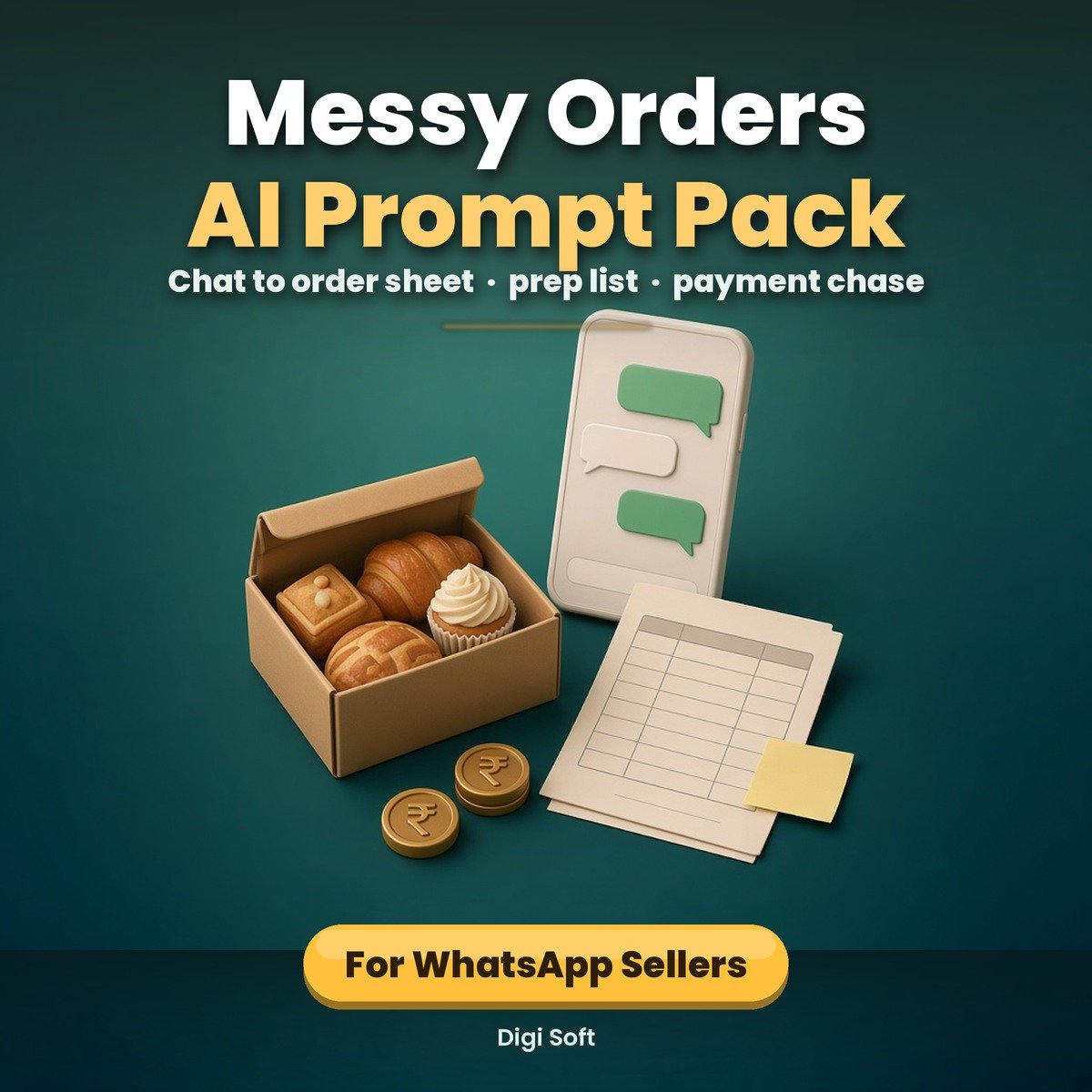
Twenty chats, four customers, one cake due tomorrow. If that sounds like your evening, the problem is not that you are disorganised. It is that WhatsApp is a conversation and an order book is a table, and nothing in between converts one into the other.
This pack is that in-between step. Five prompts you copy and paste into ChatGPT, Gemini or any similar AI chat tool, plus a worked example so you can see the output before you trust it.
What you get
- 20-page printable A4 PDF: how to use it in five minutes, the full main prompt, the twelve columns explained one by one, and a page showing exactly what a bad table looks like and why
- A complete worked example: a made-up Hinglish order chat from five customers plus one supplier message, the clean order table it should produce, the questions it should raise, and the messages to send back
- Four follow-on prompts: a daily prep list (grouped by item, not by customer), a payment chase (gentle, firm, final, with the message written), a delivery route grouped by area and slot, and a week summary in five numbers
- A reusable instruction to paste once into your AI tool's custom instructions, so you stop pasting the long prompt every time
- A privacy page that says plainly what to remove before you paste — phone numbers and full addresses — and a 60-second routine for stripping a chat
- A troubleshooting page for the seven ways the output actually goes wrong, and a one-page card to stick on the wall
- prompts.txt: all five prompts and the reusable instruction as plain text, so you copy without retyping from a PDF
- Excel / Google Sheets workbook, 4 tabs: How to use, Order sheet (the twelve columns with live balance, dropdowns and a summary panel), Prep list (adds up quantities per item per day), Payments (advance, balance and a red flag for anything unpaid after 7 days)
What the order table looks like
Twelve columns, every time: Customer, Item, Qty, Flavour / variant, Delivery date, Delivery slot, Area, Price, Advance paid, Balance, Special instructions, Status. Six fixed statuses: NEW, CONFIRMED, ADVANCE PENDING, READY, DELIVERED, CANCELLED. Same columns every week means last week's sheet and this week's sheet still line up when you paste them into Excel.
What it deliberately does not do
- It does not claim the prompts work perfectly. No AI tool turns a messy chat into a perfect table every time, and the pack says so on the cover, on page 2 and again in its "honest limits" list.
- It does not name a model version. The prompts are written to work with ChatGPT, Gemini or any similar AI chat tool, and they are written as plain instructions rather than anything tool-specific.
- It does not connect to WhatsApp and does not store your data. You copy and paste; that is the whole integration.
- It does not put a phone number or a full address in the table, on purpose. The Area column takes the locality only.
Who it is for
Home bakers, tiffin services, boutique owners and small food sellers in India who take orders in Hinglish over WhatsApp and then have to work out what to bake, pack and collect tomorrow. If you already keep a notebook, this fills it faster. If you use the WhatsApp Order Board, this is the step before it.
Files included
- Messy-Order-AI-Prompt-Pack.pdf (20 pages, A4, print-ready)
- Messy-Order-Order-Sheet.xlsx (Excel, Google Sheets, LibreOffice, WPS)
- prompts.txt (all five prompts, plain text)
- README.txt
Please note
Not a guarantee of accuracy. These are prompts, not software. Every AI tool can misread a chat, invent a price or merge two customers, and the pack includes a page on catching exactly that. Read the table before you bake, pack, charge or deliver from it. Images on this page are illustrations. Instant digital download after payment, for personal use.
Your customers' data is your responsibility. Before pasting any chat into an AI tool, remove phone numbers and full addresses. The pack shows you how, but the decision and the habit are yours. The prompts and the workbook are built so that no phone number or full address is ever needed.
Independent template. Not affiliated with WhatsApp, Meta, Google or OpenAI. ChatGPT and Gemini are named only to say which kind of tool the prompts are written for; no endorsement is implied and no logo appears anywhere in the files.
How to pay: only through the digisoftwar.com checkout (Razorpay). We never ask you to pay by any other link, QR code or bank account. If anyone asks you to, do not pay, and tell us at [email protected] or on WhatsApp +91 95665 27786.
FAQ
Do the prompts work with the free versions?
They are written as plain instructions, so they work in any AI chat tool that accepts a pasted message. Long chats produce long tables, and a free tier may cut the answer off; the prompt tells the tool to stop after the table and wait for you to say continue. If yours still cuts off, split the chat by day and run it twice.
Will it understand Hinglish?
That is what it is built for. The prompt spells out ek, do, teen, aadha, kal, parso and tells the tool to keep the customer's own words instead of translating them. It will still get some things wrong; the Need to confirm list is how you find out which.
Does it work for a boutique or a tiffin service, not just cakes?
Yes. The prompt says "I sell [what you sell]" and the columns are generic: item, quantity, variant, date, slot, area, price, advance, balance, instructions, status. Only the examples are bakery-flavoured.
Does it connect to my WhatsApp?
No. There is no integration and nothing to install. You copy a chat, strip the phone numbers and addresses, paste it into the AI tool, and copy the table into the Excel sheet.
Is my customer data safe?
Only what you paste leaves your phone, and it goes to whichever AI tool you chose, under that tool's terms. The pack's advice is to remove phone numbers and full addresses first, and to check your tool's setting for whether your chats can be used to improve the product. You remain responsible for your customers' data.
Does it work alongside the WhatsApp Order Board?
Yes, and it is designed to. The prompts read the chat and produce the table; the Order Board tracks the order from there. Paste the table into the board's Orders tab and the board becomes the record. If you do not have the board, the Excel workbook here has the same twelve columns plus a prep list and a payments tab.
Is it a physical product?
No. It is an instant digital download. Print on A4 at home or at a print shop, or write on it in any PDF app.
No reviews found!








No comments found for this product. Be the first to comment!